
Pennyroot
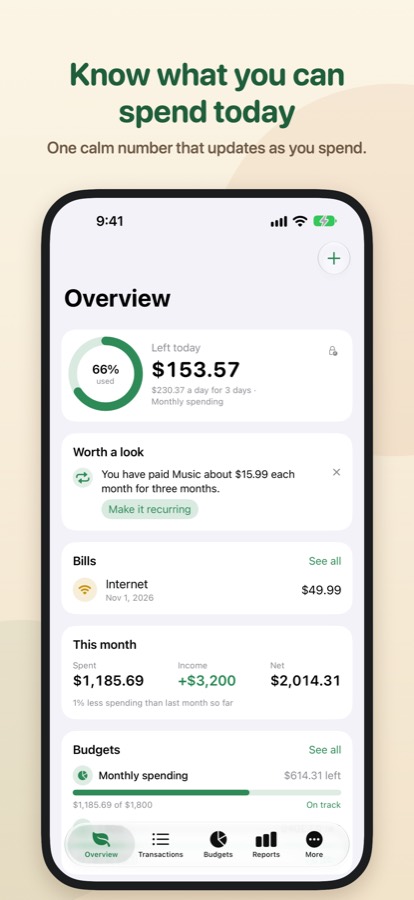
Know what you can spend today
Pennyroot keeps track of what comes in and what goes out, sets budgets that start on your payday, and works out what is left for today. On your iPhone, iPad, Apple Watch and Mac, with your data in your own iCloud.
Coming soon to the App StoreFor iPhone, iPad, Apple Watch and Mac, on iOS 26, iPadOS 26, watchOS 26 and macOS 26 or later. In 19 languages.
What it does
The everyday parts of looking after your money, kept simple.
Left today
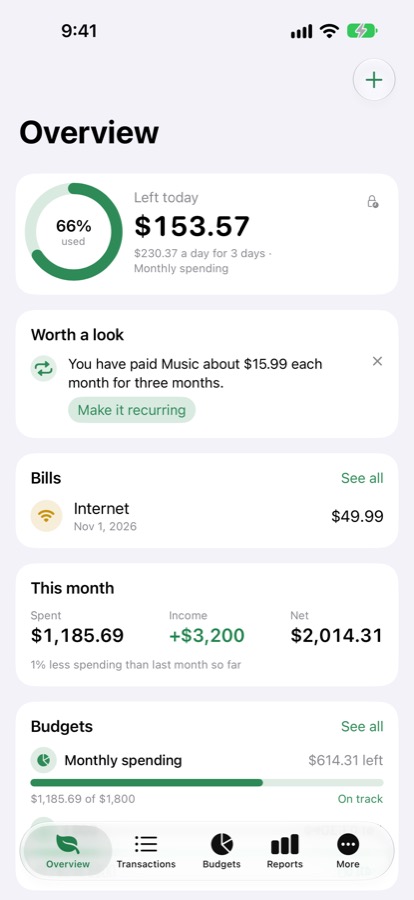
Pennyroot spreads what is left in your budget over the days that remain, so you see one number: what you can still spend today. On the Overview, in a widget, on the Lock Screen and on your watch face.
Accounts and transactions
Bank accounts, cash, cards, savings, loans and investments. Expenses, income and transfers between accounts, with categories, subcategories, tags and notes.
Budgets that fit your pay
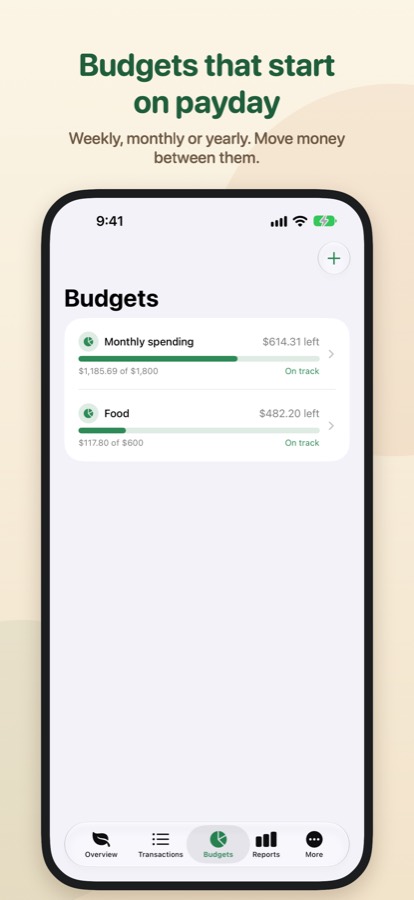
Weekly, monthly, quarterly or yearly, for all spending or only the categories you pick. Start the month on payday and get a heads-up before a budget runs out.
Bills and repeats
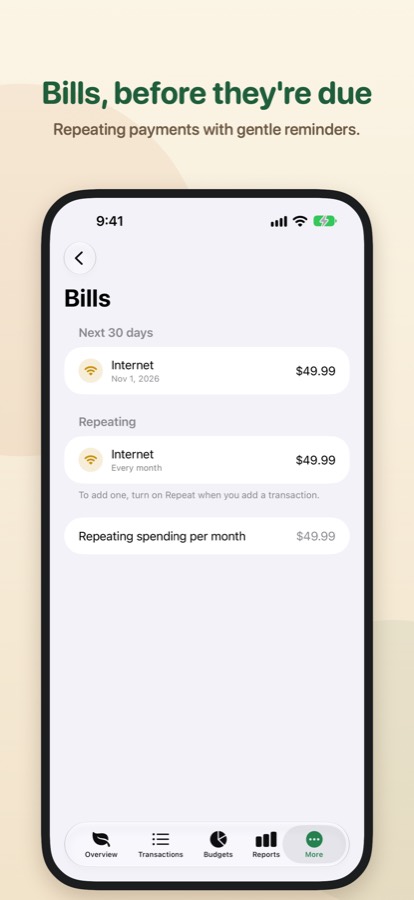
Rent, subscriptions and salary repeat on their own or wait for your OK, with a reminder before they are due.
Goals and reports
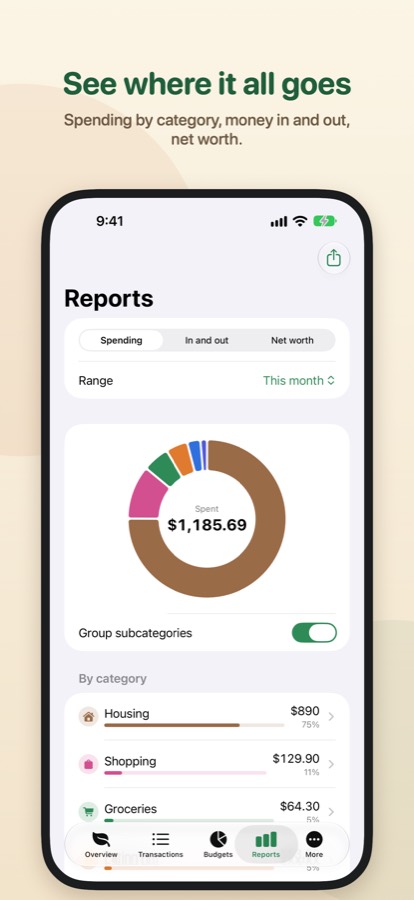
Save toward a trip or a safety cushion, set a date, and see how much a month gets you there. Reports show spending by category, money in and out, and net worth.
Many currencies
With Pro, keep accounts in different currencies. Totals are converted with the daily reference rates of the European Central Bank, or with rates you set yourself.
Quick to reach
Home Screen and Lock Screen widgets, a Control Center button for a new expense, watch complications, and Siri and Shortcuts: “What's left today in Pennyroot”.
Type it, snap it
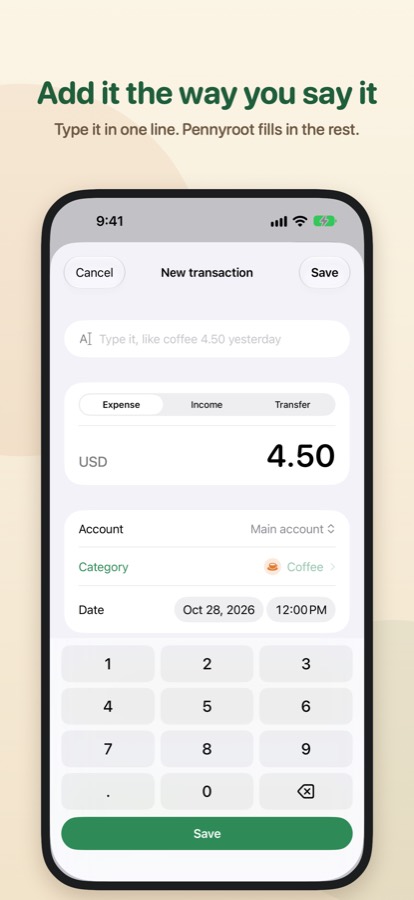
Write a transaction the way you would say it, like “coffee 4.50 yesterday”, or attach a receipt photo. With Pro, Pennyroot reads the total and date from the receipt on your device.
Calm insights
A quiet note when a budget will run out at this pace, an expense well above the usual, or a payment that looks like a subscription, with one tap to make it repeat.
Cards and budgets that bend
Credit card statements show what is due and when. Move money between budgets, or give one a little extra for this period only.
On the Lock Screen and the Mac
A Live Activity shows what is left today. Add from a widget without opening the app. On the Mac, a menu bar view, and with Pro, read-only answers for an AI app you connect yourself.
Shared ledgers
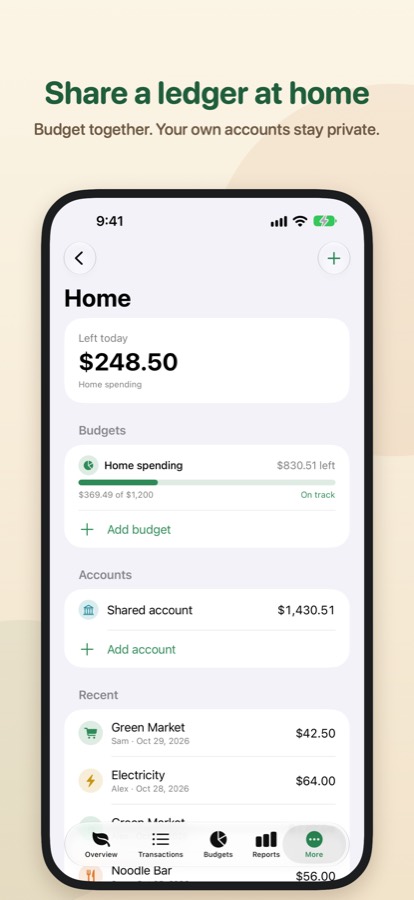
Keep a household budget with family or flatmates: shared accounts, budgets and spending, and who added what. Only the ledger is shared; your own accounts stay private. Starting one is part of Pro, joining is free.
Bring your history
With Pro, import CSV files from your bank or another app. Export your transactions to a spreadsheet, or save everything in a one-file backup, whenever you like.
Your data stays yours
Money is personal. Pennyroot is built so that nobody else sees yours, including the developer.
- No account to sign up for. Open the app and start.
- No server of ours. Your records live on your devices and sync through the private database of your own iCloud.
- No analytics, no ads, no tracking. No third-party code that collects data.
- Locked when you want it. App Lock with Face ID, Touch ID or your passcode, and Hide amounts for when someone is looking over your shoulder.
- Always yours to take. CSV export and full backups are free.
Pricing
Pennyroot is free to download. Pro is an optional subscription.
Free
- Up to 2 accounts, 2 budgets and 1 goal
- 3 quick add buttons
- Accounts in your main currency
- Spending by category for this month and last month
- iCloud sync, the Apple Watch app and widgets
- CSV export and full backups
Pennyroot Pro
Pennyroot Pro Monthly: USD 2.99 a month
Pennyroot Pro Yearly: USD 19.99 a year, starting with a one-week free trial
- Unlimited accounts, budgets and goals
- Accounts in any currency, with daily exchange rates
- Carry over what is left to the next period
- Import from your bank or another app (CSV)
- Reports for any period, up to 12 months
- More quick add buttons
- Receipt reading, on your device
- PDF reports to share or print
- On the Mac: read-only access for an AI app you connect
- Start shared ledgers with your household
- Shared with up to five family members through Apple Family Sharing
Prices shown are for the US App Store. They vary by country, and the App Store shows the price in your currency before you buy. Payment is charged to your Apple Account. The subscription renews automatically unless you cancel it at least 24 hours before the end of the current period, in your App Store account settings. If Pro ends, nothing you added is deleted. Terms of Use (Apple's standard EULA) and Privacy Policy.